Comparing M252 Requirements: What to Check Before Ordering
Mounting a Monitor Arm on an IKEA Desk: Model-by-Model Guide (Without Dents)
Lagkapten, Linnmon, Bekant or Idasen? How to clamp a monitor arm on each IKEA desk safely, with hollow-core reinforcement steps that cost under £10.
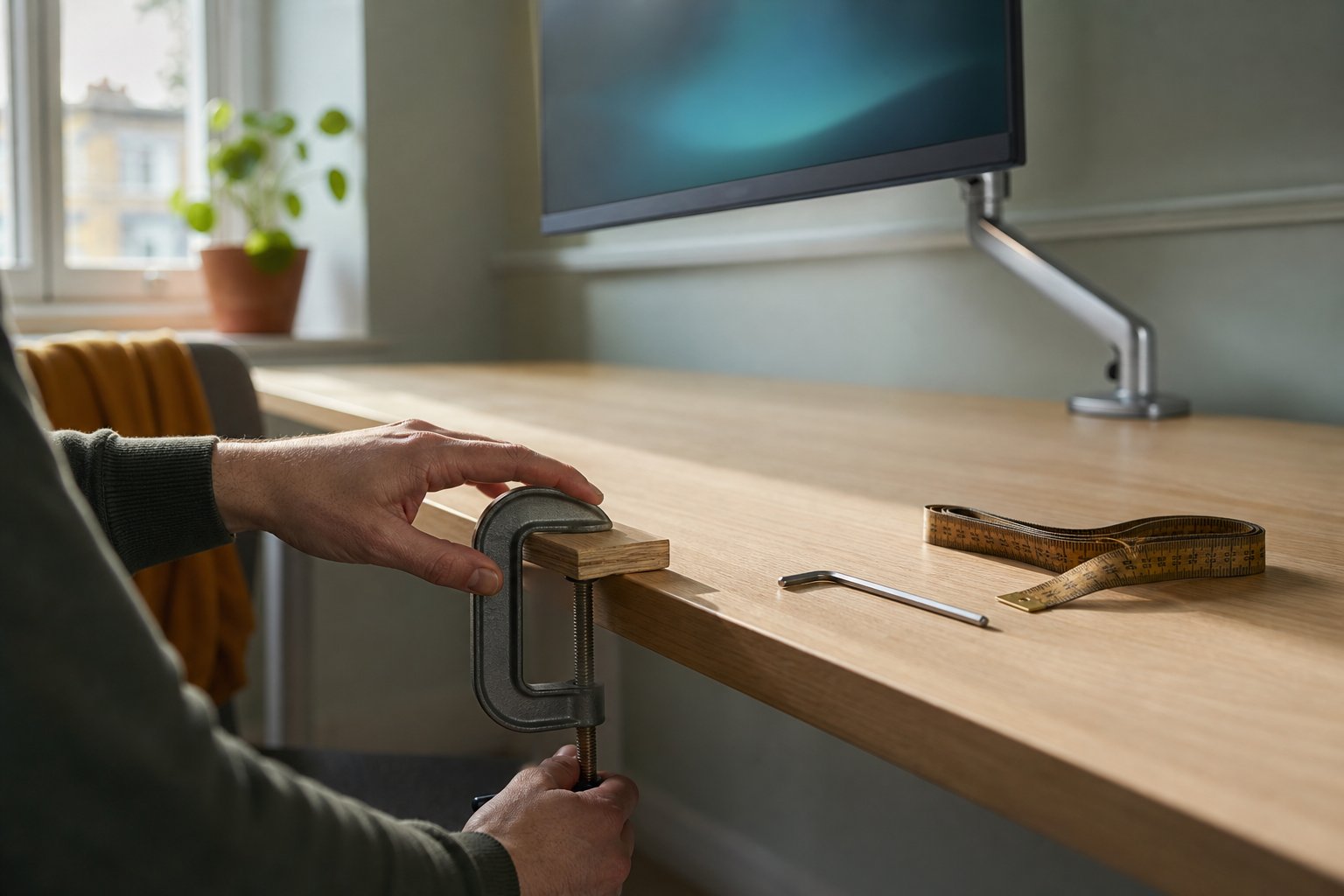
Yes, you can mount a monitor arm on most IKEA desks — but hollow-core tops like Lagkapten and Linnmon need a simple reinforcement first, because their honeycomb-paper interior crushes under clamp pressure. Solid-material tops like Karlby or a thick Bekant handle clamps directly. Here’s the model-by-model breakdown and the £10 fix that prevents dents.
Why IKEA desks are a special case
IKEA’s most popular desktops use “board-on-frame” construction: two thin fibreboard skins over a honeycomb paper core. It is light, cheap and surprisingly rigid for everyday use — but a monitor arm clamp concentrates its grip on a patch a few centimetres wide, and the skin between the clamp pads has almost nothing solid behind it.
The community evidence is easy to find. On r/IKEA, a user posted photos of the dents left in a Lagkapten top after hanging two 27-inch monitors from a clamp — the post title itself warned others not to repeat the mistake. On r/desksetup, another user watched their desktop visibly bow under a single 27-inch screen weighing under 5kg, and a third asked how to mount dual arms on a Linnmon after discovering IKEA doesn’t recommend clamping it at all. None of these are stories about bad arms. They are stories about pressure applied to a surface that was never designed for point loads.
The good news: the fix is cheap, invisible and proven. Before we get to it, identify your desk.
Model-by-model: what you’re working with
| IKEA desktop | Construction | Clamp verdict |
|---|---|---|
| Lagkapten | Hollow board-on-frame | Reinforce first — documented dent cases |
| Linnmon | Hollow board-on-frame | Reinforce first — clamping not recommended bare |
| Micke | Thin particleboard | Reinforce first; clamp near a leg |
| Bekant | Particleboard, ~1.6” edge | Clamps OK for single arms; plate recommended |
| Idasen | Dense board, veneer, ~1.5” | Clamps well |
| Karlby (worktop) | Wood veneer over particleboard core | Clamps well |
| Gerton / solid pine tops | Solid wood | Clamps directly, no reinforcement |
| Glass tops (Glasholm etc.) | Glass | Never clamp — use a freestanding mount |
Measure your edge thickness too: the Suptek arm’s clamp accepts 10–80mm, which covers every desktop above. Sit/stand frames (Bekant, Idasen, Trotten) add one wrinkle — check the rear edge for the crossbar and cable tray, and make sure there’s flat clearance for the lower clamp jaw. The full pre-purchase routine is in our 3-check compatibility guide.
The 2027 line check
IKEA’s desk line-up changes year to year — names persist while constructions quietly change, and models drop out of the UK range without ceremony. The table above reflects the range as we last verified it; the construction categories (board-on-frame, particleboard, solid wood, glass) are stable even when the model names rotate, so re-check any named model’s current product page on ikea.com/gb before you buy. If your desk isn’t in the table — a newer name, or an older one we’ve dropped — identify it by construction instead: knock on the underside (hollow-core sounds like a drum), check the listed weight (board-on-frame tops are conspicuously light for their size), or find “board-on-frame” in the product page’s materials section. The category, not the name, decides the clamp verdict.
The reinforcement fix (under £10, five minutes)
The principle: spread the clamp’s pressure across a larger area of the desktop so no single point exceeds what the skin can take. You need two pieces of 12–18mm plywood or solid pine offcut, each roughly 200 x 150mm — most UK DIY shops (B&Q, Wickes, or any timber merchant) will cut scraps to size for pennies, and rubber non-slip pads or a piece of old mouse mat.
- Cut and sand the two boards so they have no sharp edges against the desk.
- Position the top board on the desktop where the clamp will sit, with rubber padding between board and desk surface. Push it flush to the rear edge.
- Position the bottom board directly underneath, mirroring the top one, again with padding against the desk’s underside.
- Clamp through the sandwich. The arm’s clamp now grips plywood–desk–plywood. Tighten until firm plus a quarter turn — the boards spread the force, so you don’t need gorilla torque.
- Load and re-check after 48 hours. Honeycomb tops settle slightly; a quarter-turn re-tighten once is normal.
This is the same approach the r/computers community converged on (“get a slab of wood and some adhesive rubber pads”) — we’ve simply sized and sequenced it.
Grommet mounting: the alternative worth considering
If your IKEA top is hollow-core and you’re happy to drill, the grommet mount included with the Suptek arm is arguably better than any clamp fix. Drill a clean 10mm+ hole 60–80mm from the rear edge, fit the bolt through, and the load spreads across wide washers on both faces of the board rather than squeezing the edge. On honeycomb tops, drill where the internal frame runs (within ~70mm of edges) for solid material all the way through. Hole saws and step drills both work; put masking tape over the drill point to keep the melamine skin from chipping.
Placement rules that halve the load
Where you put the arm matters as much as reinforcement:
- Clamp near a leg or frame member, not mid-span. The desktop flexes least where it is supported underneath. Mid-span clamping on a 140cm+ hollow top is what produced the bowing photos on Reddit.
- Keep the arm’s reach short. An arm fully extended forward multiplies leverage on the clamp. Park the monitor as close to the pole as your viewing distance allows — a 60cm viewing distance usually needs far less extension than the arm’s maximum 499mm reach.
- Route cables loosely. Taut cables yank on the arm every time you adjust it, adding cyclic stress to the clamp point. Leave a service loop.
- One arm, one clamp zone. Two arms side by side double the local load; separate them by at least 40cm or clamp near opposite legs.
Checklist before you order
- Identify your desktop model and construction from the table above.
- Measure edge thickness (10–80mm works) and rear-edge clearance.
- Hollow-core? Budget £10 for two reinforcement boards, or plan a grommet hole.
- Confirm your monitor passes the VESA and weight checks — 17–35 inch, up to 10kg, VESA 75x75 or 100x100.
- Not sure which category your setup falls into? Run it through the compatibility checker — it includes desk-material logic, or ask via the FAQ page.
Two questions owners keep asking
How do I tell if my desk is hollow-core without the product page? Three field tests, any one of which settles it. Knock on the middle of the desktop: hollow board-on-frame sounds like a drum, solid material gives a dead thud. Lift one end: a 140cm hollow top is startlingly light (a Lagkapten-class board weighs far less than a solid-wood equivalent of the same size). And look at any existing hole or cut edge — honeycomb paper core is unmistakable. If two tests disagree, treat the desk as hollow-core and reinforce; the £10 cost of being conservative is a rounding error against a dented desktop.
How often should I re-check the clamp on a hollow-core desk? Twice: once at 48 hours after installation (the settling re-tighten in step 5 above), then every six months as part of routine arm maintenance — check the bolt is snug and look at the board surface around the reinforcement plates for any developing pressure marks under raking light. Caught at the faint-outline stage, marking stops when you redistribute or enlarge the boards; a re-check takes two minutes and belongs in the same session as the arm’s tension and joint-bolt audit.
An IKEA desk is not a reason to give up on proper monitor ergonomics. It just asks for five minutes of preparation that most people skip — and now you won’t.